
FYI + Annature
Use Annature with FYI to manage digital signing and identity verification, making it easier to securely verify clients, collect signatures and keep important records up to date in FYI.
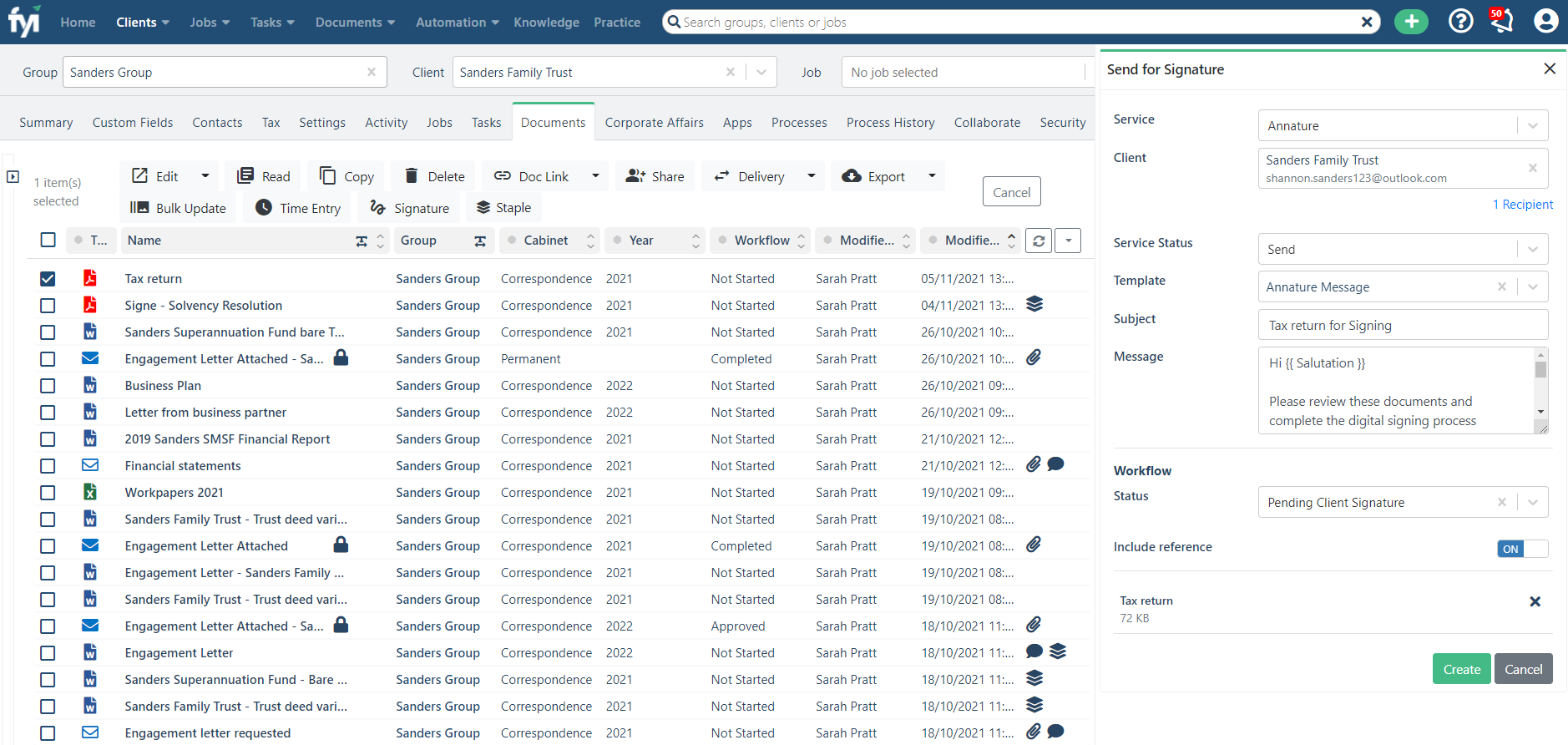
Select documents in FYI and send for signing via Annature
Use the Signature button in FYI to collate your signing pack in an instant. Click Create and you’ll be taken directly to the envelope inside of Annature – no need to navigate to another app.
Use an FYI email template to save time
No need to manually type a message every time. Use an FYI template to save time and ensure consistent messaging.
Send direct from FYI to your client
Add a Signature merge field to your Word or Excel document, convert to PDF and send directly to your client. No need to go via Annature – saving you even more time!
Signed documents automatically imported into FYI
What’s more, the original document in FYI will be updated with the signed copy, and the workflow status of the signed document automatically changes from ‘Pending Client Signature’ to ‘Client Signed’.
Manage client identity verification
Use Annature Identity Verification to securely verify your clients. Verification details sync back to FYI, with the option to automatically import and file the Certificate of Verification against the client.
Automatic Notifications
Create a custom automation in FYI to notify your team when signed documents have been received.
About Annature
