Introducing FYI AI: Don’t just use AI. Put it to work.
AI is already helping accountants save time. It drafts emails, summarises documents and answers questions in seconds.
But for accounting practices, the bigger opportunity isn’t helping one person at a time. It’s making those time savings repeatable across your entire practice.
That’s why we’re introducing FYI AI, built into Automation. It brings AI into the workflows your practice already runs, for less repetitive admin, more consistent processes and more capacity for the client work that matters.
From individual productivity to practice-wide impact
Most accountants have seen what AI can do. A well-written prompt turns a long document into a short summary, or produces an email draft in seconds.
But what happens next? Someone still needs to transfer the information, update a record, create a task or follow up with a colleague. When the same situation comes up again, the process starts from scratch. The time saved stays with one person, and the outcome depends on them remembering each step.
FYI AI changes that by bringing AI into repeatable workflows. Instead of each person prompting an AI tool and acting on the response, an automation supplies the information, applies the instructions and uses the result in the next step. You’re not just completing one task faster. You’re reducing the manual work involved every time that process runs.
| Individual AI use | FYI AI, built into Automation |
|---|---|
| Each person prompts AI in a separate tool | AI runs inside the workflows your practice already uses |
| Results are manually transferred into emails, records and tasks | Results flow straight into the next step |
| Quality varies from person to person | The same instructions run the same way, every time |
| Processes depend on individuals remembering what comes next | Routine steps are automated, with review where needed |
| Know-how stays with the individual | Workflows are shared and reused across your team |
AI with the context to do more
AI is only as useful as the information it’s given. A generic AI tool can draft a polite client email. A draft informed by the client’s circumstances and job details is far more useful.
Every FYI AI workflow follows three steps:
Context
Choose the client, document and job details to include in each AI step, using FYI merge fields.
Intelligence
FYI AI interprets that information to generate content, extract details or return structured results.
Action
Automation uses those results to prepare emails, create tasks, update supported records and file documents.
Each AI step works only with the context supplied to it. It doesn’t independently search across your practice’s emails, documents or jobs, so you control what information is used and how it feeds into the next action.
Putting FYI AI to work
Here’s what context, intelligence and action look like in five everyday workflows.
Prepare more informed client communications
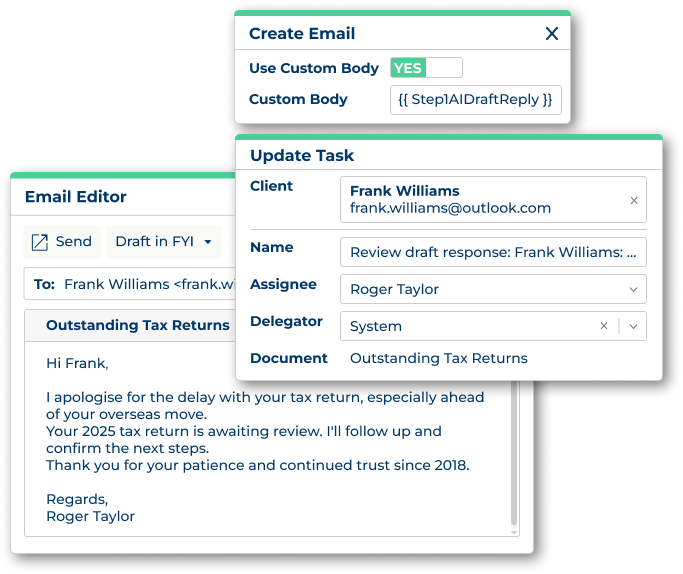
An existing client emails your practice, frustrated about a delayed tax return and concerned about an upcoming overseas move.
FYI AI uses the incoming email and relevant client and job details supplied through Automation to prepare a personalised reply. Automation then creates the draft email and assigns a task for review.
The result: A relevant, personalised response prepared faster, without starting from scratch.
Turn documents into useful information
A client sends through a bank statement that needs reviewing before their accounts can be finalised.
FYI AI analyses the statement, summarises it and extracts key details such as dates, balances and amounts. An automation step then uses those outputs to update the relevant fields in FYI or create a follow-up task for review.
The result: Key details captured and ready to use, without re-keying them by hand.
Take the manual work out of filing
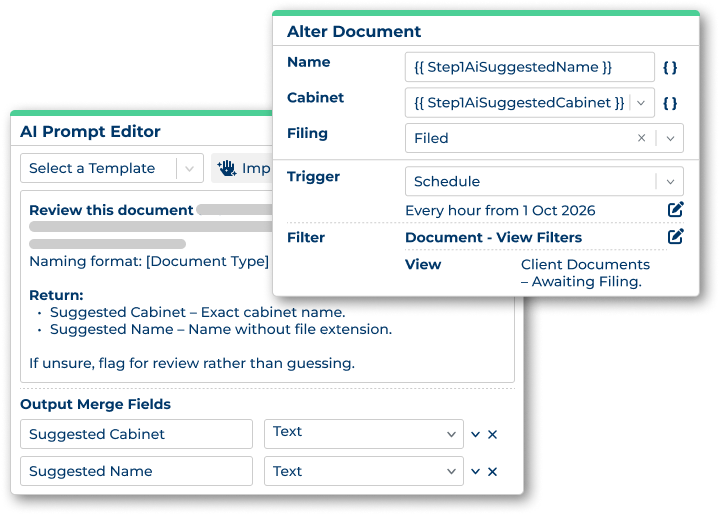
A client emails several documents at once, including a signed engagement letter, an invoice and last year’s tax return, which all need to be named and filed correctly.
FYI AI analyses each document to identify its type and relevant details, then suggests an appropriate name and cabinet. Automation steps uses those outputs to name and file documents consistently in FYI
The result: Documents named and filed consistently, with less manual sorting and administration.
Turn meetings into next steps
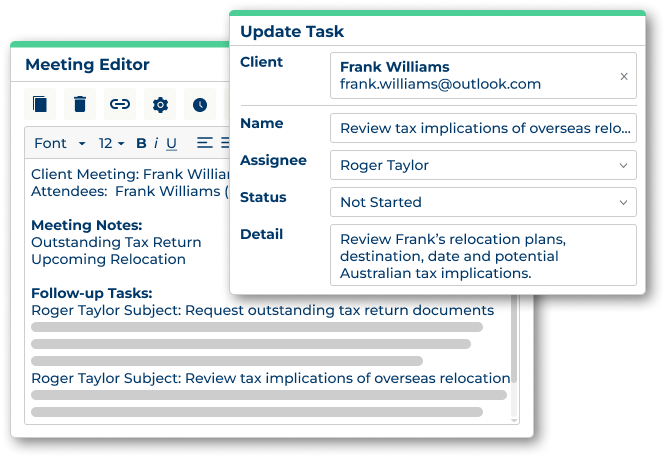
After a client meeting, your team has a transcript containing important discussions, decisions and follow-up actions.
FYI AI summarises the supplied transcript and identifies the actions and responsibilities. The Automation then creates follow-up tasks and assigns them to the appropriate team members.
The result: Meeting outcomes captured and tasks assigned, without the after-meeting administration.
Bring in information from beyond your practice
A prospective client submits an enquiry through your website’s Contact Us form.
With Web Search enabled, FYI AI can use the information submitted to research the prospect’s business and gather relevant publicly available information. The Automation then uses those results to update the prospect’s details in FYI and create follow-up tasks for your team.
The result: Less manual research, more informed prospect records and a better-prepared team for the first conversation.
You stay in control
Your practice decides what information each AI step receives, what results are needed and what Automation does next. Build in review steps wherever judgement or approval is needed, including before a client email is sent. Every action is recorded in Process Activity.
AI supports the process. Your team remains responsible for decisions and client communication.
Ready to put AI to work?
FYI AI is available now. No AI expertise is required. Start with a ready-made example from the Automation Library, such as draft email replies, document filing, bank statement analysis or meeting summaries with tasks, then adapt it to the way your practice works.
Join the launch webinar on Tuesday 8 December. Rob Cameron, CEO, and Chris Britton, Head of Product, will show FYI AI at work across four everyday workflows and share an ROI calculator to estimate the impact for your team. Can’t make it live? Register anyway and we’ll send you the recording.
Don’t just use AI. Put it to work.